Free · no card needed · charts are made on your device
Bobble is a crochet chart, graph and grid maker: your photo becomes a C2C, rows or tapestry chart with each colour matched to a real yarn shade. It’s free for flat charts, bauble covers and the Daisy Tote; written row instructions and downloads come with Bobble Pro.
Crocheters call the same plan a chart, a graph or a grid: a picture drawn in squares, one colour to a square. A blanket worked from one is a graphghan (some write graphgan). In Bobble each square is one stitch when you work in rows or tapestry, which many call pixel crochet, and one block in C2C. Bobble makes colour charts like these, not stitch-symbol diagrams, and it does not chart filet or mosaic crochet. How the chart maker works, with a worked example.
Pick corner-to-corner, rows or tapestry, and Bobble redraws the chart and rewrites the instructions to match, in UK or US terms. Rows is pixel crochet: one stitch for each square, worked row by row. Tapestry carries the colours you are not using inside the stitches, and Bobble warns you when a row uses more than four. How the tapestry crochet pattern maker works.
Bobble finds the best palette for your image, names the nearest Stylecraft Special DK or Paintbox Simply DK shade for each colour, and works out how many balls of each you need. Tap any swatch to tweak it.
Start making, then return whenever you are ready. Make Mode keeps your place, guides each row and remembers your progress until the last stitch.
Share a link or pin your chart to Pinterest for free. With Pro, print a PDF pattern, save the chart as a PNG or copy the written rows.
Don’t have a photo in mind? Start with a heart, rainbow, star, sunflower, cat, mountain sunset and more. Fifteen free to try, thirty-four more with Pro.
Sign in with Google and your projects follow you to any device, phone, tablet or desktop. Works offline too, once loaded.
A crochet chart is a grid of squares and a great deal of counting.
One stretch at a time: which colour, how many, which way.
Press Next after each stretch. Bobble keeps the count and estimates the time left.
Stop mid-row and pick up there next week, on any device you sign in to.
A picture tote crocheted in one piece, from the base to the handles, with Make Mode to take you through every round.
Add a photo, choose the finished size and the number of colours, then pick C2C, rows or tapestry. From that one photo Bobble gives you:
A C2C chart counts blocks, not stitches. In UK terms each block is a chain of 3 and 3 trebles (3 double crochet in US terms). Bobble writes out each diagonal row and marks the longest one, after which you decrease at both ends. In DK on a 4 mm hook, six and a half blocks make about 10 cm. For cot, throw and bed measurements, see crochet blanket sizes. What is a C2C graphghan?
Photos with a clear subject and few colours chart best: a pet, a silhouette, a logo. Busy scenes do not. How to turn a photo or picture into a crochet pattern.
| Compare plans |
Free forever
Starter
£0
|
Most popular
Pro
£3.99 /month or £18.99 for six months
|
|---|---|---|
| Projects in progress, synced to the cloud | 3 (finished ones don’t count) | Up to 50 |
| Templates | 15 free | All 49 |
| C2C, rows & tapestry charts | ||
| Make Mode | ||
| Written instructions | Red Heart | |
| PNG export & copy as text | ||
| Shared links | 1 | 100 |
| PDF export with chart + instructions | ||
| Style filters Pastel, pop-art, vintage | ||
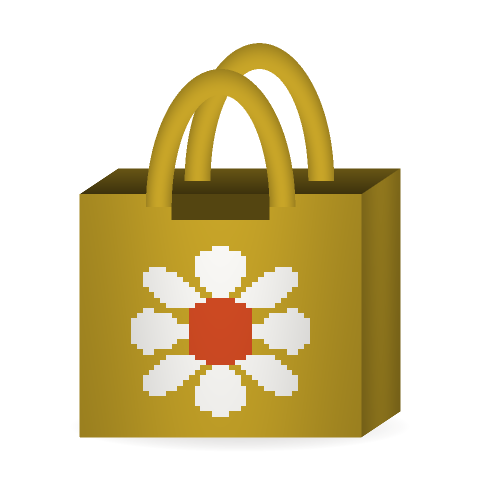
| Tote bags in rounds With the net texture | The Daisy Tote | |
| Start creating | Get Bobble Pro |
Upload any photo to Bobble, choose how many yarn colours you want, and the tool builds a colour-coded crochet chart that you make row by row in Make Mode. You can fine-tune each colour to match yarn you already own. With Pro you also get the written instructions, and can print the pattern as a PDF or save the chart as a PNG.
Yes. Bobble has a free plan that lets you keep 3 projects in progress (finished ones don’t count), synced across your devices, use 15 free templates and make any flat chart, any bauble cover or the Daisy Tote row by row in Make Mode. Bobble Pro (£3.99/month or £18.99 for six months) adds the written instructions, every download (PDF, PNG and printing), up to 50 projects in progress, the full template library, style filters and tote bags in rounds. The Red Heart comes with free written instructions.
No. You can make a chart and follow it in Make Mode without an account; Bobble keeps your projects in that browser. Sign in with Google, free, to keep them in sync across your phone, tablet and computer, to make a share link or to publish to the Gallery.
Yes. Choose corner-to-corner (C2C), rows (double crochet in UK terms, single crochet in US terms) or tapestry, and Bobble adjusts the chart and the written instructions to the method. Tapestry is charted as flat rows for a flat piece, and in rounds for a bauble cover or, with Pro, a tote bag, with the colours you are not using carried inside the stitches and counted in the yarn amounts; four or fewer colours in a row or round works best.
Yes. Choose Rows and each square of the chart is one stitch, a double crochet in UK terms or a single crochet in US terms, which is what most people mean by pixel crochet. Choose C2C and each square is a block instead.
From 10 to 300 stitches, or C2C blocks, each way, with 2 to 20 colours; 8 is the default. Pick a size (a 40 × 40 cm cushion, a 75 × 100 cm baby blanket, a 120 × 150 cm throw or a 50 × 70 cm wall hanging) or type your own in cm or inches. Bobble crops the photo to that shape, never stretches it, and sets the stitches and rows from your tension.
Not yet. Start from a photo or one of Bobble’s designs, then recolour, merge colours and resize in the Maker. There is no blank grid to paint square by square.
Any flat piece you can chart: a blanket or throw, a cushion cover, a wall hanging, or a panel to sew into something bigger. It also makes two pieces worked in rounds: a bauble cover and, with Pro, a tote bag in one piece from the base to the handles. It does not shape garments.
No. Bobble is not in the App Store; it runs entirely in your web browser on a phone, tablet or desktop, and there is nothing to install. You can add it to your home screen and use it offline once loaded.
Two brands: Bobble names the nearest Stylecraft Special DK or Paintbox Simply DK shade for every colour, whichever of the two you choose. Both are UK brands, and there is no US brand yet. For any other yarn, match by eye from the chart’s colours: tap any swatch in the palette to pick exact hex values, sample from your photo, or nudge each colour toward the yarn in your stash.
Yes. Enter your tension, the stitches and rows per 10 cm from a swatch, and Bobble shows the real finished size in centimetres and inches. It also lists every colour with the metres and number of balls to buy, including a 10% allowance for tension and the tails you weave in.
Yes. Bobble works in the browser on the iPhone Duo, folded or open, and on other foldables. Open, Make Mode shows the chart beside the row you’re on.
Pick a template, upload a photo, see what you can make. Free, no card needed.
Start creating